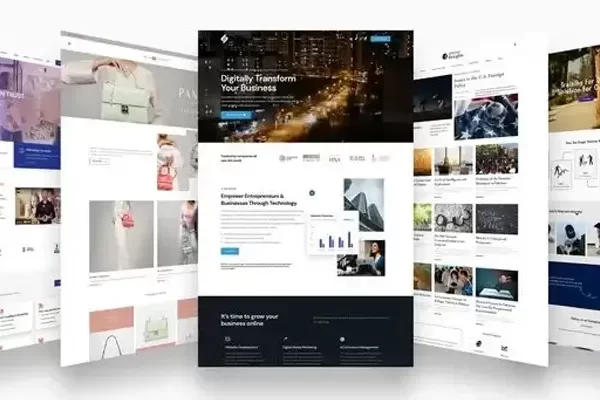

Choosing the right platform for your website is one of the most important business decisions you will make in 2025. For many companies the debate comes down to two powerful platforms: WordPress and Webflow. Both offer unique strengths but the choice depends on your goals budget and long term plans. At Dezinic we help businesses select the right technology that not only builds a strong digital presence but also attracts elite clients and supports growth.
In this blog we compare WordPress and Webflow side by side and share insights on which platform is better for your business.
Overview of WordPress
WordPress is the most widely used content management system in the world powering more than 40 percent of all websites. It is open source flexible and supported by thousands of plugins. Businesses of all sizes use WordPress for blogs ecommerce sites portfolios and corporate websites.
Key strengths include:
- Scalability to support both small and enterprise projects
- A vast library of themes and plugins
- Strong community support and regular updates
- Cost effective setup with hosting options in every market
WordPress is especially popular among businesses that want ownership of their site and the ability to scale functionality over time.

Overview of Webflow
Webflow is a modern website builder that combines design freedom with no code development. It is gaining popularity among designers and startups because it allows highly visual design without relying on third party themes.
Key strengths include:
- Clean modern design with strong control over visuals
- Built in hosting and content management
- Fast loading speed with minimal technical setup
- Integrated animations and responsive design tools
Webflow is ideal for businesses that want unique design experiences and faster turnaround.
WordPress vs Webflow: Feature by Feature
Ease of Use
WordPress requires a little learning curve especially for managing plugins and security. However once set up it is easy for content teams to publish and update.
Webflow offers a drag and drop interface that is intuitive for designers but can feel limiting for businesses that need complex customizations.
1. Design Flexibility
WordPress provides design through themes and builders like Elementor or Gutenberg. Custom design requires developer support.
Webflow allows full control over layouts and animations without coding which appeals to businesses that prioritize unique design.
2. SEO and Performance
WordPress offers strong SEO capabilities with plugins like Yoast or RankMath. It also supports advanced optimization for enterprise clients.
Webflow provides clean code and fast hosting but SEO customization is limited compared to WordPress. For businesses aiming to rank on Google WordPress is still the stronger choice.
3. Integrations and Plugins
WordPress has a massive ecosystem of plugins for ecommerce CRM email marketing analytics and more.
Webflow offers integrations but options are fewer and often require third party services. For businesses that rely on complex systems WordPress provides more flexibility.
4. Cost and Ownership
WordPress is cost effective to start but expenses depend on hosting premium themes and plugins. You own the site and data fully.
Webflow uses a subscription model where hosting and CMS are tied to their platform. It may cost more in the long run especially for businesses that scale.
5. Maintenance and Support
WordPress requires ongoing updates for plugins themes and security. Many agencies including Dezinic offer monthly retainers for maintenance.
Webflow handles hosting and updates internally which reduces technical issues but also limits control.
Which is Better for Your Business
The decision between WordPress and Webflow depends on your priorities:
- Choose WordPress if you need scalability integrations strong SEO ownership of your site and a cost effective solution for the long term. It is best for corporate websites ecommerce projects and businesses that want full flexibility.
- Choose Webflow if you want unique design fast setup and a modern interface for small to medium projects. It is ideal for creative businesses portfolios and startups looking for visually appealing websites without heavy integrations.
At Dezinic we often recommend WordPress for businesses that want continuous growth and corporate level presence. Webflow works well for design focused projects but WordPress provides the flexibility security and SEO performance that high paying clients expect.
Conclusion
Both WordPress and Webflow are strong platforms in 2025. The best choice depends on your business goals. For elite clients and enterprises WordPress remains the leader with scalability integrations and ownership. For startups or creative projects Webflow provides speed and modern design.
At Dezinic we build on both platforms but we guide businesses toward the one that aligns with their long term goals. If you are unsure about which to choose contact us today. Our team can analyze your needs and design a website that supports growth credibility and measurable success.
At Dezinic, we help businesses in the Pakistan, UAE, Canada and the USA turn ideas into impactful digital experiences. From custom websites and SEO strategies to branding, design and ads management, our services are built to fuel growth and visibility. Explore our portfolio to see real results, browse our services to find the right fit for your business or check out our FAQ’s for quick answers.
Visit: www.dezinic.com
If you have any questions regarding “WordPress vs Webflow” feel free to contact us. For inquiries and consultations, call us at: +923464411556 or Email us at: hello@dezinic.com
Disclaimer: The above information is subject to change and represents the views of the author. It is shared for educational purposes only. Readers are advised to use their own judgment and seek specific professional advice before making any decisions. Dezinic is not liable for any actions taken by readers based on the information shared in this article. You may consult with us before using this information for any purpose.